Installing
iPhone
- Install TestFlight, Apple's free beta app, from the App Store.
- Open the SailLab beta link on your iPhone. It opens in TestFlight — tap Accept, then Install.


Laptop or tablet
- Open my.saillab.app in any browser and sign in with the same account.
- Optional: install it as an app — the icon in the address bar on desktop, or Add to Home Screen on an iPad.
note
Both are open beta — free, no credit card, no invite. Sign in with the same account on either platform and your sailing follows.
Trying it without an account
tip
Tap Try without an account on the welcome screen to record or upload straight away. Continuing as a guest counts as accepting the Privacy Policy.
What happens to guest data
Everything a guest records — sessions, teams, boats — carries over when you create a free account. Set a password, or convert in one tap with Google or Apple.
Creating an account
Tap Create Account (or Sign In). Google or Apple signs you in immediately. Email and password sends a 6-digit code.
Where the code is
In the email's subject line, so it reads off the notification. It also works from a different device than the one you signed up on.
The guided tour
A short walkthrough runs on first launch, covers each tab, then opens a demo sail: map, timeline and filters, replay, races and manoeuvres. Replay it any time from Account.
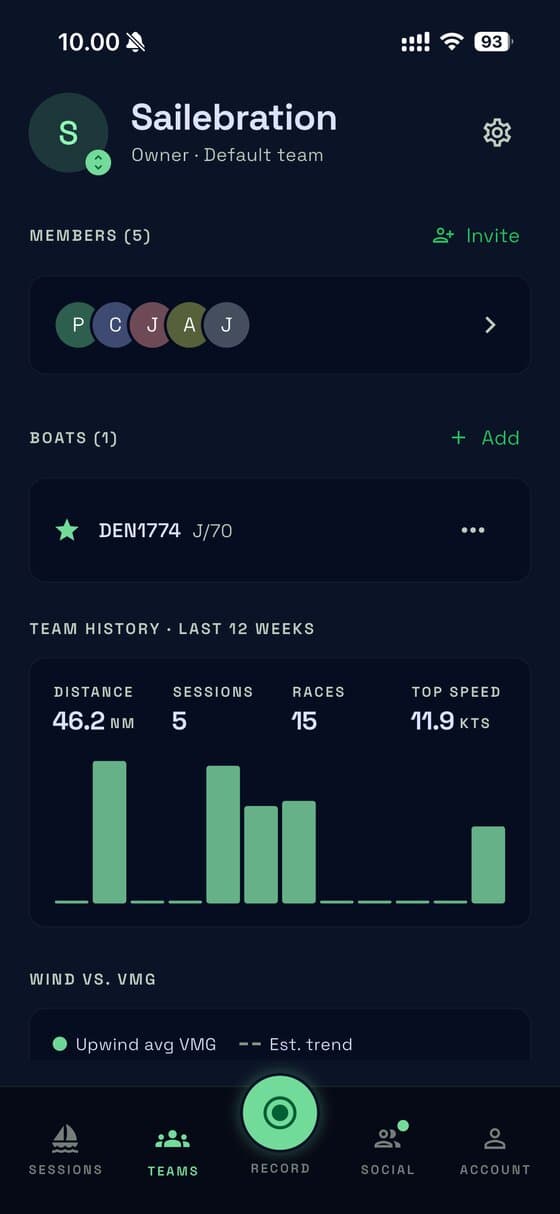
The bottom tabs
| Tab | What's there |
|---|---|
| Sessions | Every sail, as a list or a calendar |
| Teams | Your crews, their boats, 12 weeks of stats |
| Record | Start a live recording or upload a file |
| Social | Team comparisons and the sailors you follow |
| Account | Profile, notifications, privacy, the guided tour |
What to do first
Open the demo sail to see a finished analysis. Then record a sail, or share a track from your watch or instruments.