Why sessions belong to a team
Every session sits inside a team, even a solo one. A team is what a boat and its results belong to — sail number, boat class, crew. Fleet linking and race detection key off who's sharing that team and boat.
The Teams tab
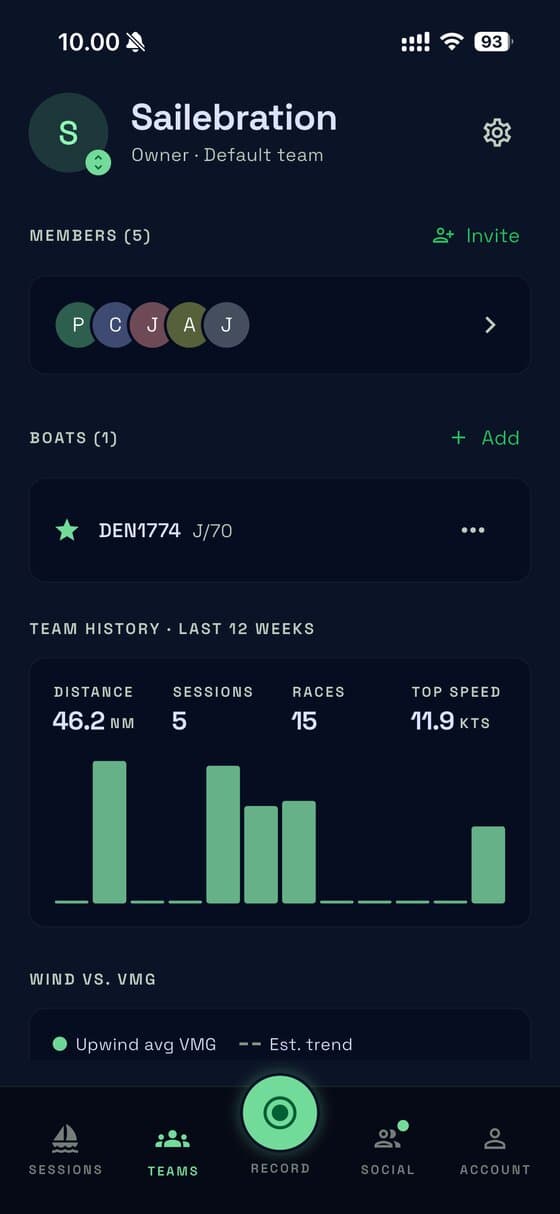
One screen: header, 12 weeks of stats, then members and boats. In more than one team? Tap the photo to switch.
Creating a team
Tap Create, name it, done. A personal team alongside a shared crew team is normal.
Inviting crew
- Tap Invite — SailLab gives you a QR code and a share link, nothing to configure.
- Someone joins by scanning the code or opening the link — or you scan theirs in person.
If the link needs resetting
It renews roughly weekly so it never goes stale. Resetting kills the old code and gives you a fresh one.
Roles and transferring ownership
| Role | Can do |
|---|---|
| Owner | Everything below — plus rename the team, remove people, delete it |
| Admin | Invite crew, manage members and boats |
| Member | Sail, upload, see everything — not change the team's setup |
warning
Handing a team off? Transfer ownership from the team's settings — you become a regular member, the person you picked becomes owner. It can't be undone.
Boats
Add a boat with a sail number and a class from 200-plus racing classes. Set one as your team's default.
Submitting a missing class, and per-boat defaults
If your class isn't listed, submit it — it's reviewed like a session report. Each boat also has its own defaults screen, for things like rig tension you'd otherwise retype every session.