Setting it up
On the Activities tab, tap Event, then Create event. You can also create one in the browser.
- Name, plus an optional description (classes racing, briefing time) and picture.
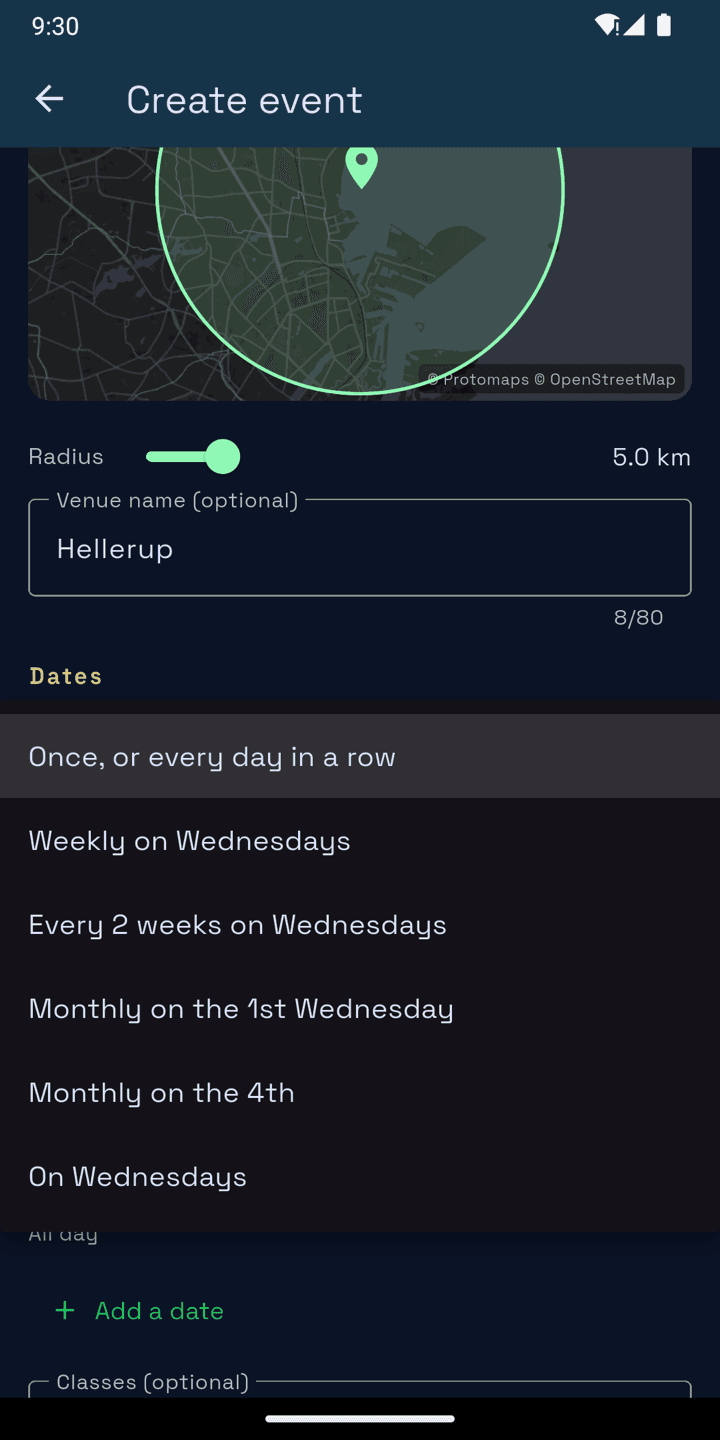
- Venue: tap the map where the racing is. Sessions and races inside the circle belong to the event. Add a venue name so people don't see coordinates.
- Dates: pick a first and last date and how it repeats.
- Classes (optional): leave it empty for all classes.
- Scoring: how a missed race scores and how many discards. See Event results.
One-off or series
Repeats covers both. Choose Once, or every day in a row for a regatta or training camp. For a club series, choose weekly, every 2 weeks, monthly (by date or by weekday, e.g. the 2nd Thursday) or chosen weekdays.
SailLab lists the dates from that pattern, each with its own start and end time. You can change a date's times, remove one or add one, now or later. A series is one event: teams join every date at once, and results add up to season standings.
note
An event only counts races sailed by teams that joined it, or run by its organisers. Two regattas on the same water on the same day keep to their own fleets.
Getting teams in
The Admin tab, which only organisers see, has the event's QR code and a Share button. Teams scan the code or open the link, then join with one of their teams, in the app or in the browser. A series takes one tap (Join all dates). A team can later withdraw from the dates still to come.
To invite a particular sailor, go to the Admin tab and search by name, team or sail number under Invite sailors. They get a notification and join with one of their teams in a tap.
Going or not going
For each date, any member of an entered team can say whether the team's going. It only tells organisers who to expect. Results come from who actually sailed.
Co-organisers
Race officers and coach boats helping you run it open the event menu and tap Request to organise. Any organiser can approve them on the Admin tab, even after racing, and their start still counts. If someone tries to create an event that duplicates yours, the app points them to yours and lets them ask to organise it instead.
Announcements
Post from the Admin tab. Everyone in the entered teams gets a push notification and sees the announcement on the event page.
Changing, cancelling, deleting
Organisers can change dates, times and venue with Edit event. Entrants are told if it moves. The owner can Cancel event for one date or that date and all later ones. The page, entries and results stay, but nobody can join. Delete event works only until a team other than your own has joined.
If the owner leaves SailLab, the earliest-approved co-organiser takes over. If there isn't one, the event stays as a read-only archive with its results.
Unregistered boats
Boats that sailed the event without joining still count. They're ranked as "Unregistered boat" and reminded to join and upload each day's track.
Keeping fake events out
Unregistered boats' tracks show and join reminders go out only once an organiser has recorded at the venue, or two teams have joined and uploaded. Sailors who were there can tap Report this event in the event menu. When three teams that sailed it report it, it's paused for review.