Not every sail is a race. SailLab reads the sailing between races too: who was quicker when two boats sailed side by side, how your tacks and gybes held up, and what to work on next.
Stretches
A training session is split into stretches — periods of steady sailing on one course, marked upwind or downwind and close-hauled, reaching or running. They're the building blocks for everything below, and you can see them in the session's timeline.
Line-ups
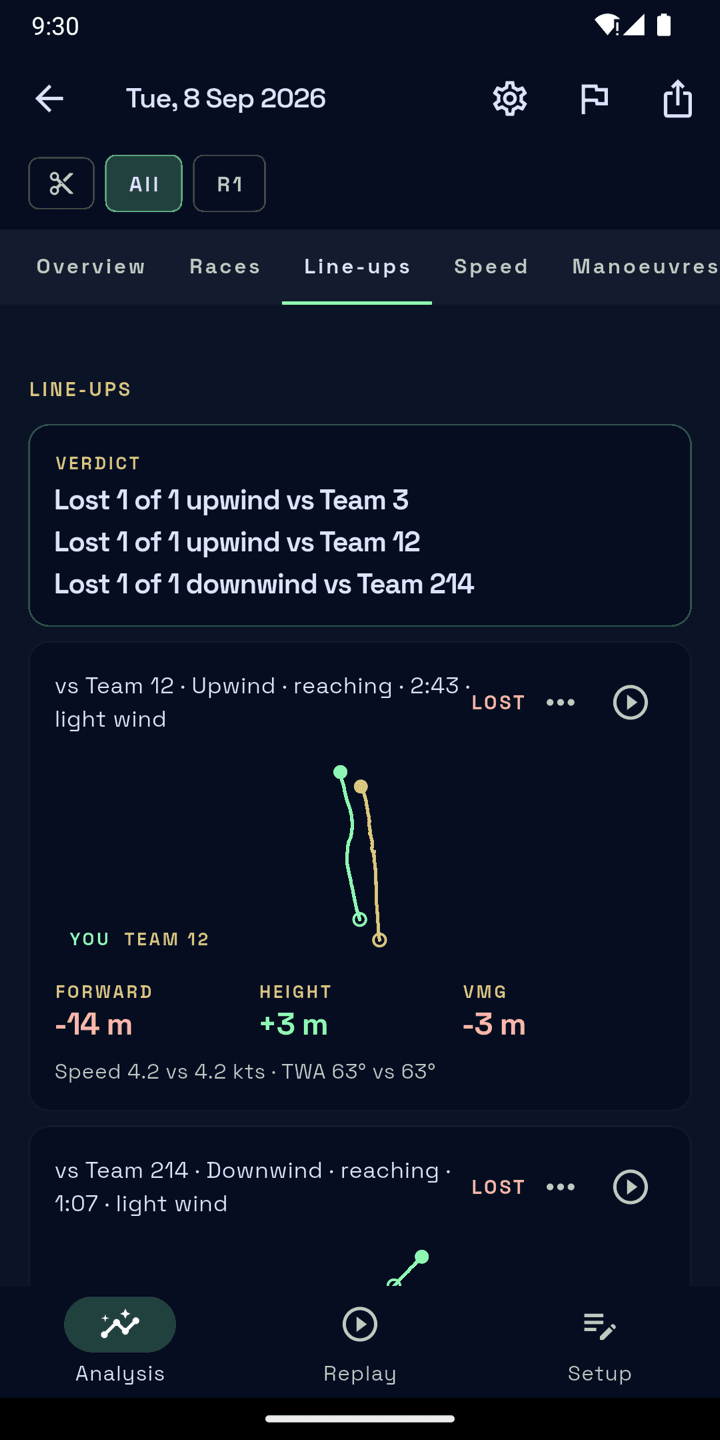
A line-up is a stretch where you and another boat held the same steady course at the same time. SailLab finds them for you. Each one shows:
- who gained, and by how much — forward and in height
- both boats' speed
- the gap over time, so you can see whether it opened steadily or all at once
Training sessions open on the line-up verdict, the way race sessions open on results. Tap a line-up to watch it in the replay, or open the Line-ups tab in the session's analysis to go through them all.
Correcting a line-up
Paired with the wrong boat, or the times are off? Open the line-up's edit menu to trim it to a new range or delete it, add one against the right boat, and the verdict updates.
Whose line-ups you see
Line-ups with your teammates and friends show in full. Line-ups with sailors from other teams who aren't your friends are counted but not shown — outside races, other teams only see that you were out. See Friends.
Manoeuvre scores
Every tack and gybe is scored: distance lost, time back to speed, entry and exit angles, and how consistent you were. The curves sit against the middle half of the fleet, and each chart says how many of your manoeuvres it averages, so you know how much to trust it. The window each manoeuvre is measured over is adjustable — see Reading a session.
Training focus
SailLab looks at where you lost the most time in your recent races — start, upwind, downwind, manoeuvres or boat speed — and suggests one area to work on. You or your coach confirm it (or pick another area), and you follow your progress on it race by race. You'll find it on your team's overview.
Setup log
Log trim and rig on the session's Setup tab. The settings follow your boat class, Same as last session copies everything in one tap, and you can save named presets such as "light air" and apply them later.
Crew weight fills itself in: each sailor adds their own weight once, it stays hidden like a password, and the session shows the crew total once everyone on the team has added theirs. On the web you can compare your setup across recent sessions.
Sailing on your own
Out alone, you still get stretches and the full analysis of your track — speed, VMG, manoeuvres, your setup. Line-ups need another boat on the water, and so do races: see Races.