Friends are the sailors you train with and want to compare notes with. Being friends opens up each other's full tracks; everyone else sees much less.
Adding friends
Send a friend request from:
- a session's boat list — tap Add friend next to their boat
- a sailor's profile
- Settings → Friends, searching by name, team or sail number. SailLab tells you why each result matched.
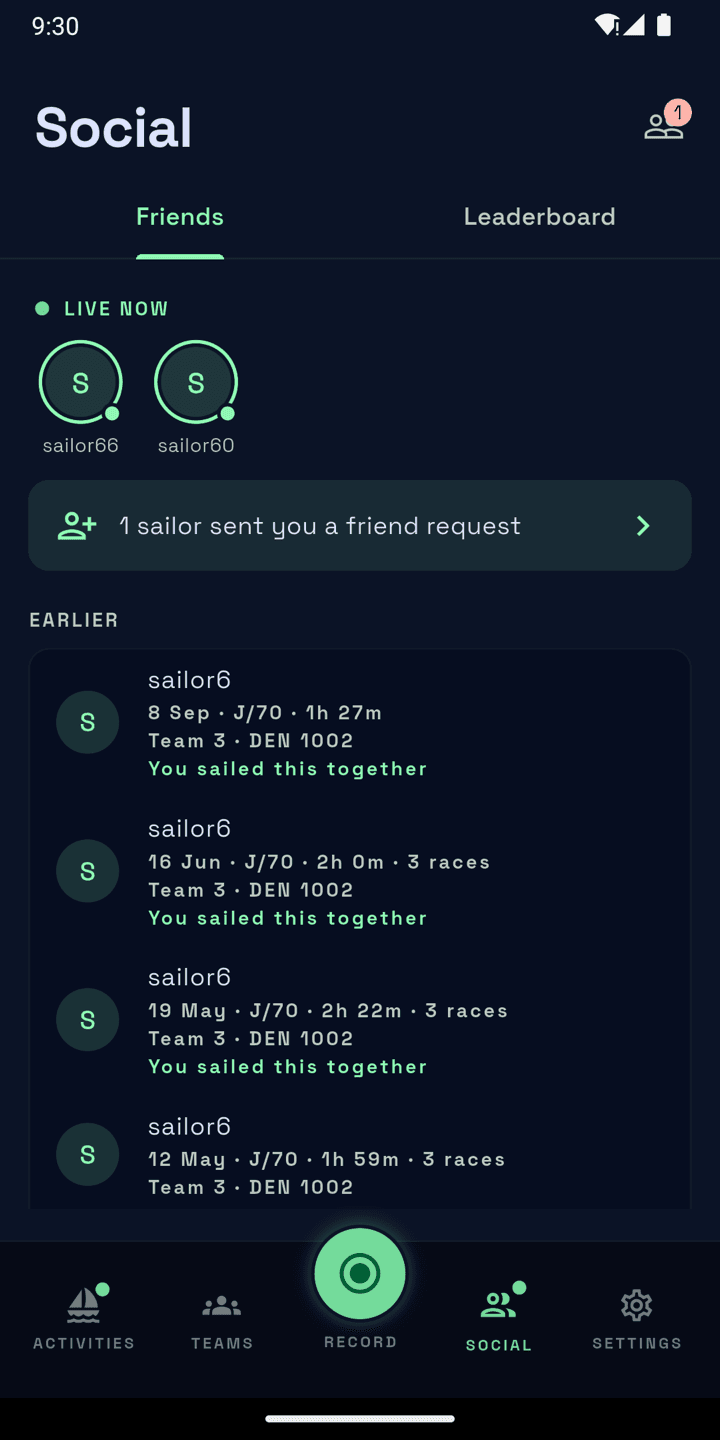
Before you type, the Friends screen suggests sailors you've sailed with, your teammates and people from your club. A banner on the Social tab shows when someone sends you a request — tap it to accept or decline.
Following is gone
Friends replaced following. Sailors you used to follow need a new friend request.
What friends see
- Your full track in every session you sailed together, not just the races.
- Your sessions in their Social feed, grouped by day — including ones a teammate uploaded with you aboard.
In the feed, tap a session you sailed together to open it. Tap any other with races to replay each race with its results, the whole fleet on the water — boats of sailors who aren't your friends stay unnamed, as "Boat N".
What other teams see
Sailors from other teams who aren't your friends see your track only during races you sailed together, with the shared results — you stay named by team and sail number. Outside races they see that you were out, not where you went or how fast. Teammates and your coach see your full track, like friends do.
Hide from friends
Want a session kept to yourself? Open it, tap the cog at the top and switch on Hide from friends. It keeps the session out of your friends' feed and notifications.
It doesn't hide shared sessions
A friend who sailed that session with you still sees your full track in it. Hide from friends only keeps it out of their feed.
On the water now
Friends recording right now show live at the top of your Sessions and Social tabs. You're shown live to your friends while you record too. Turn it off for one session with Show friends I'm live when you start recording, or always with Show When I'm Live in your profile's privacy settings (Settings → Profile).
Leaderboard
The Social tab has its own Leaderboard tab. It highlights your team, even outside the top 10, and can rank on upwind VMG as well as speed.
Blocking and reporting
To block a sailor, open their profile and choose Block from the menu. You can also report a session, an event or a picture that breaks the rules.